The whole invoice, handled
From the first line item to the money landing in your account, without leaving one tool.
Send and track
Email every invoice with a PDF attached. Your dashboard shows what's out, what's due, and what's late at a glance, and on Pro a live invoice page your client can open in any browser.
Automated reminders
ProLate invoices get chased for you. Pmnts sends polite follow-ups on a schedule, so the awkward “just checking in” email writes itself.
However you already get paid
Put your Venmo, Cash App, or PayPal right on the invoice as a link your client can tap, and your Zelle details alongside it. No new account for anyone, and no cut for us.
Card payments too
ProConnect Stripe or Square, whichever you already use, and clients pay by card straight from the invoice link. The money goes directly to you. Pmnts never holds your funds.
Templates and branding
ProTwo invoice templates free, all eight on Pro, from minimal to classic. Pro adds your logo and brand color, so every invoice looks like it came from you and not from software.
Three steps, no ceremony
Create
Pick a template, add your client and line items. Numbering, totals, and tax are handled for you.
Send
One click emails the invoice with a PDF attached, plus a live link to share anywhere on Pro.
Get paid
Clients tap your Venmo, Cash App or PayPal link, pay by card on Pro, or send it however you agreed. Reminders chase anything late.
The app, not the pitch
Three screens do most of the work. Here they are.
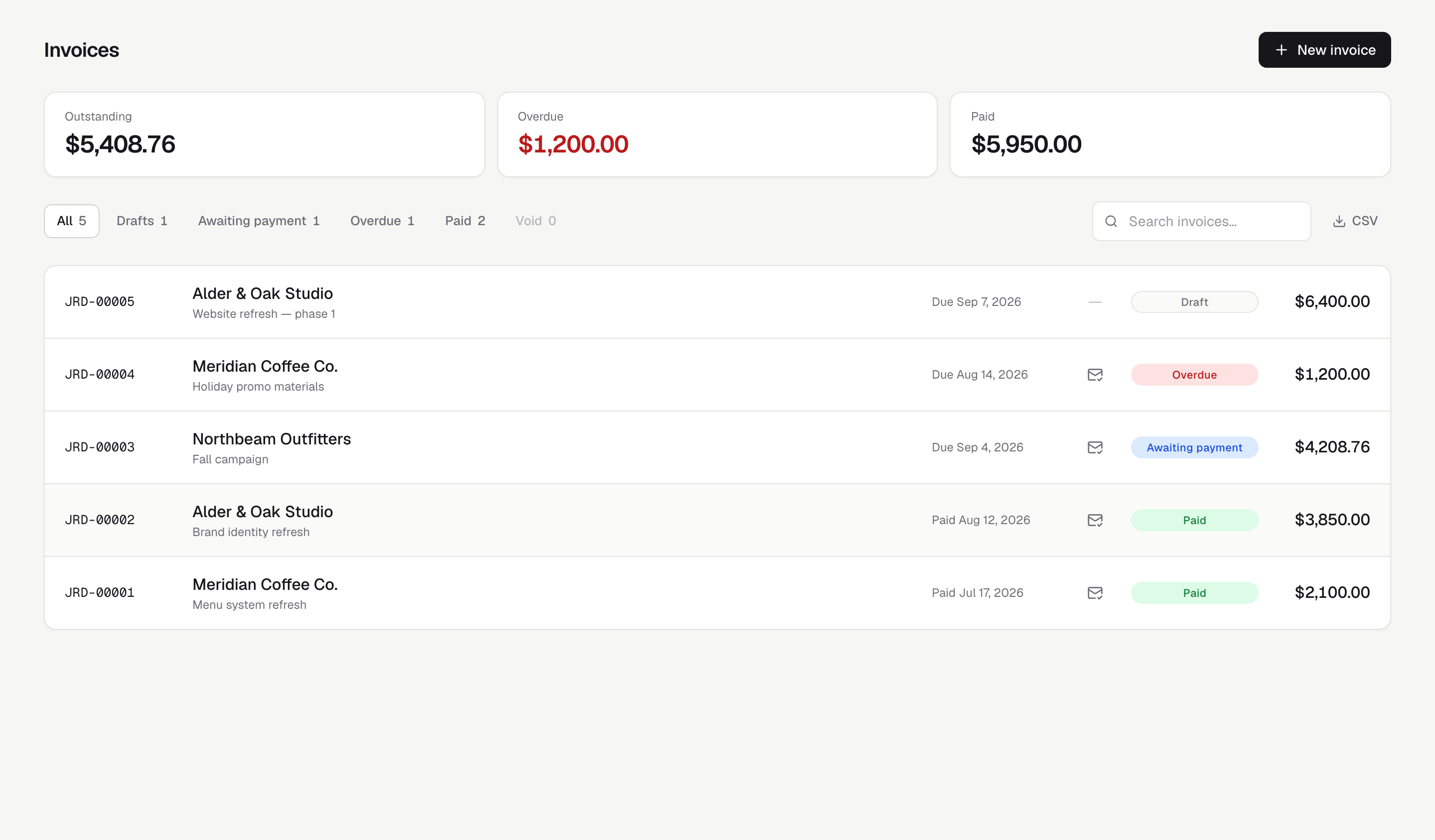
Everything owed, at a glance.
Outstanding, overdue, and paid totals up top; every invoice with its status, delivery state, and reminder count below.
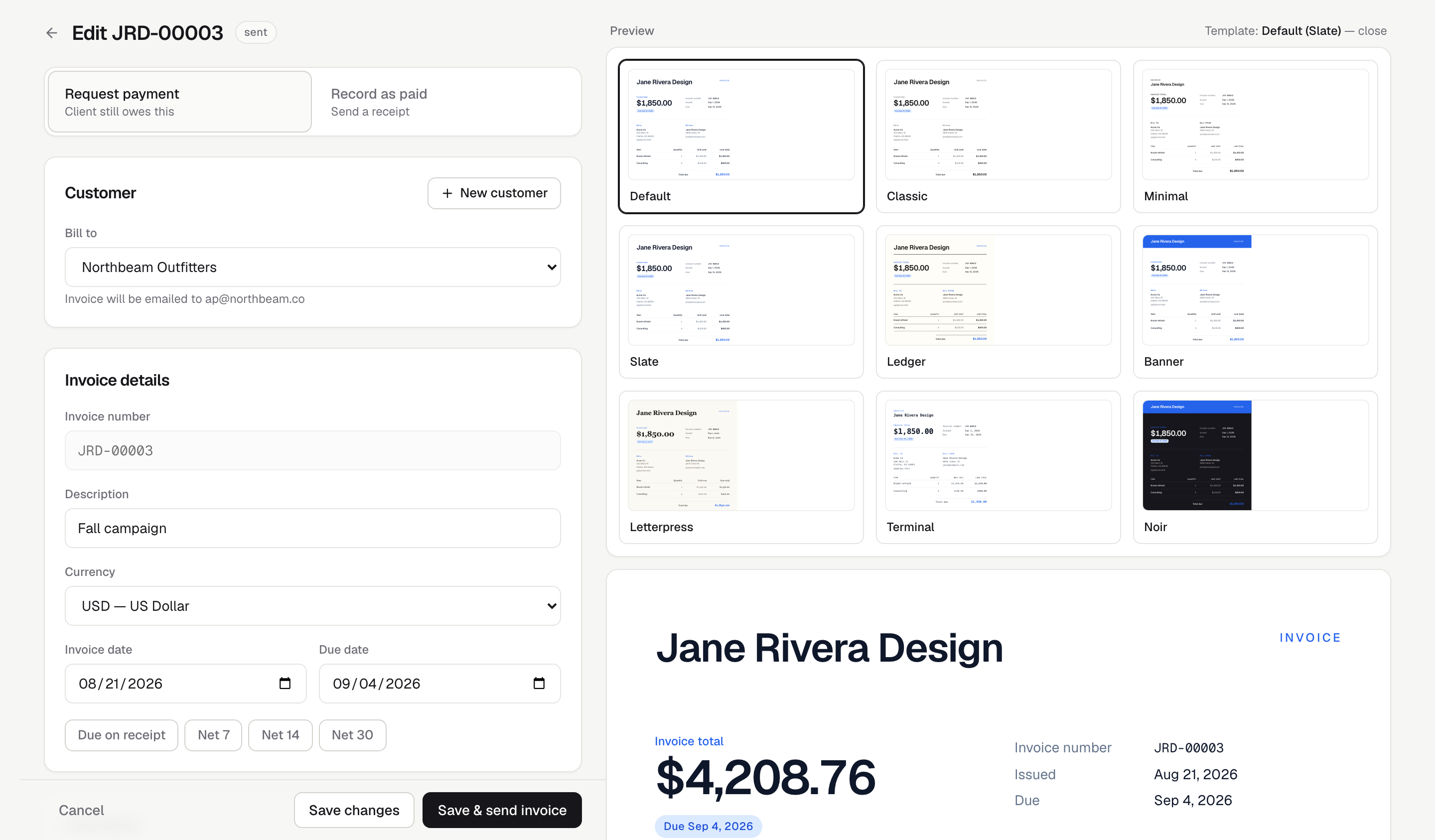
Write it on the left, watch it on the right.
A live preview renders exactly what your client receives. Switch templates without leaving the page.
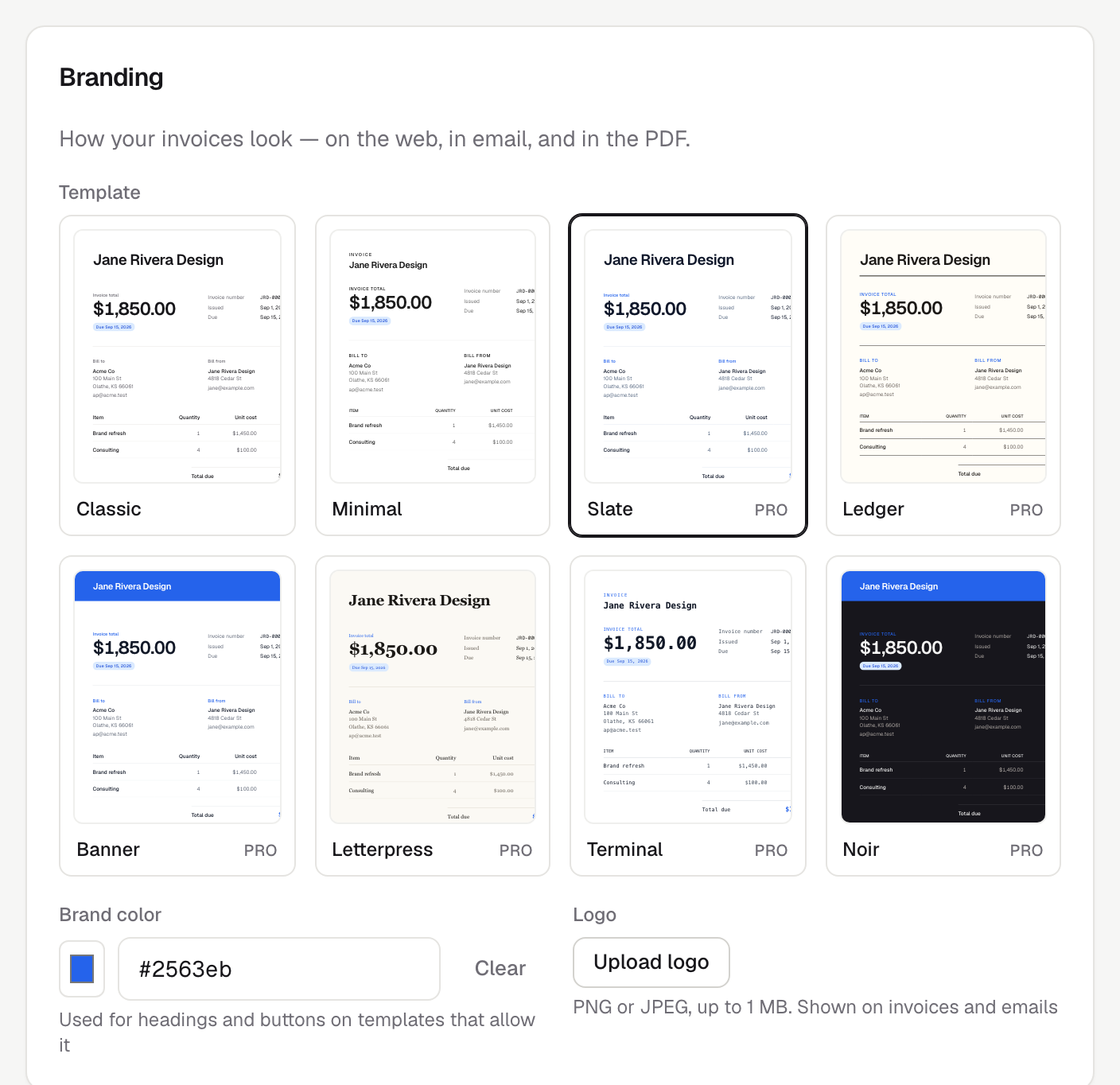
Make it unmistakably yours.
Eight templates, your logo, your brand color, applied to the web view, the PDF, and the email alike.
Free to start. One flat price when you grow.
No per-invoice fees, no tiers to decode. Free covers unlimited invoices; Pro adds the machinery that gets them paid.
Free
Invoice as much as you like. No cap, no trial clock, no card.
- Unlimited invoices
- Unlimited customers
- Email delivery with the PDF attached
- Venmo, Cash App, PayPal & Zelle links on every invoice
- 2 invoice templates
- Reminders you send yourself
Pro
For getting paid faster: card payments, automatic chasing, your brand.
or $90 a year, two months free
- Everything in Free, plus
- A live invoice page clients pay by card from
- Automated reminders that chase late invoices
- Recurring invoices on a schedule
- All 8 invoice templates
- Your logo + brand color on everything
- CSV export
Free invoice templates for your trade
Printable templates already labeled with the lines and payment terms each trade actually bills on. No signup to download one.
- Lawn care invoice template
- House cleaning invoice template
- Handyman invoice template
- General contractor invoice template
- Photography invoice template
- Tutoring invoice template
- DJ / entertainment invoice template
- Mobile detailing invoice template
Browse all invoice templates, or see how Pmnts compares to Harvest, FreshBooks, Wave and other invoicing tools.
Common questions
Is Pmnts really free?
Yes. The free plan sends unlimited invoices to unlimited customers, emailed with the PDF attached, with no credit card and no trial clock. Pro is $9 a month and adds card payments, reminders that chase late invoices on their own, recurring invoices, all eight templates, and your logo and brand color.
Does Pmnts take a percentage of what I invoice?
No. Pmnts never holds or touches your money. Card payments run through your own Stripe or Square account, so the only cut is their standard processing fee and it goes to them. Your Venmo, Cash App, PayPal and Zelle details sit on the invoice as ordinary links, with nothing taken off the top.
What should a freelance invoice include?
Your business name and contact details, your client's, a unique invoice number, the issue and due dates, itemized lines with amounts, the total with any tax, and clear instructions for how to pay. Pmnts fills in the numbering, totals and dates for you, and the free templates are already laid out this way.
Can Pmnts chase late payments for me?
On Pro, yes. Once an invoice goes past its due date Pmnts sends polite follow-ups on a schedule until it is paid, so you never have to write the awkward “just checking in” email yourself. On the free plan you send reminders when you want to.
Do my clients need an account to pay me?
No. Every invoice arrives as a PDF attached to an email. On Pro it also carries a link to a live page where your client can pay by card in a browser. There is nothing for them to download or sign up for either way.